





Interactive birthday card
Create an interactive birthday card they open like a gift.
Give a birthday greeting a deliberate opening, readable message, and one meaningful photo without requiring the recipient to download an app or join a card platform.
- Preview before sharing
- Private link + QR
- No app for recipients

Why this format
The interaction earns its place by supporting the message.
This page compares the browser-based opening with a standard e-card: one focused gesture leads to your words, with reduced-motion and keyboard equivalents.
Use this format well
Choose interaction when it improves the birthday greeting.
A browser reveal and a standard e-card solve different jobs. Use the simplest format which makes the message feel intentional.
Browser reveal
Best when the opening, personal message, and photo should arrive as one private sequence.
Paper card plus QR
Best when handwriting matters and the digital interaction extends the physical keepsake.
Simple message
Best when the recipient dislikes unfamiliar links or needs the greeting immediately with no interaction.
The words people use
More personal than a message thread.
An interactive birthday card can feel like a virtual gift box when the opening reveals your words and photo. Add its birthday gift QR to a paper card when you want the digital moment to sit beside something handwritten.
Hands-on product example
A card for a friend who lives far away
Instead of sending a long chat message, the creator gives the greeting a deliberate opening and a place for one shared memory.
Recipient name, handwritten-style message, memory image, and calm motion.
One opening gesture leads to readable content with a reduced-motion fallback.
Embedded recipient demo
Try the birthday gift reveal before you create.
This live preview uses synthetic names, messages, and media. Open it here to check the recipient pacing, or use the full-screen link for a phone-sized test.
- No recipient account or app
- No real customer content
- Keyboard and reduced-motion friendly
A clear path
Make it personal, then make the handoff easy.
Every YoursToOpen experience is designed for the recipient’s phone and shown in full before you share it.
- 01
Choose the gift-box interaction
Use the birthday format when a deliberate opening adds meaning beyond a static card.
- 02
Write and personalize
Add the words you would have written by hand, then include one photo that supports the memory.
- 03
Preview the interaction
Test the full recipient flow, including reduced motion, before sending the link or adding its QR to a paper card.
Plan before you publish
Make your interactive birthday card clear, personal, and easy to open.
Use this checklist to improve the message, recipient experience, and handoff before you share a private link or print a QR.
Keep the greeting specific
Open with the recipient name, one clear birthday wish, and a detail which only belongs to your relationship.
Use interaction with purpose
A single opening action builds anticipation. The message should remain complete when motion is reduced or media fails to load.
Match the handoff to the recipient
Send the private link for a remote birthday. Add the QR inside a paper card when handwriting and a digital reveal belong together.
Choose the delivery route
| Route | Best fit | Check before sending |
|---|---|---|
| Private link | Distance, fast delivery, or a direct message | Use a recognizable sender and preview the full phone experience. |
| QR on a card | A gift, invitation, keepsake, or planned in-person handoff | Explain the scan, protect contrast and clear space, then test the print. |
| Link and QR | A physical handoff with a digital fallback | Confirm both routes open the same current private experience. |
Complete the final review
A final review protects the personal details, reduces avoidable confusion, and helps the recipient understand who sent the experience, why it arrived, and what happens next. Save the final wording separately when you want a personal record after the private experience expires or is deleted. Keep a copy of the tested fallback URL.
- Read every word as the recipient. Check the name, question, dates, places, response labels, and closing. Remove copied phrases which do not sound like you.
- Open the preview at phone size. Increase text size, use the keyboard, and reduce motion. The message and answer path should remain complete.
- Check the sharing boundary. Remove details which do not need to travel with the link. Use a personal photo only with permission.
- Test each route. Open the direct link and scan the finished QR. Confirm both lead to the same current experience without an account or app.
- Choose a calm delivery moment. Add sender context, avoid public pressure, and give the recipient enough time to read or answer in private.
The front of the card can stay traditional; the QR belongs beside a line that invites the recipient to open the interactive part.
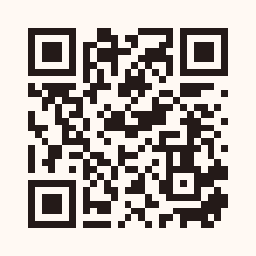 Scan to open the synthetic recipient demo
QR-on-card and printing guidance
A paper card with a second opening inside.
Treat the QR as part of the physical handoff: explain what it opens, preserve a clean scan area, and test the finished piece rather than only the design file.
- Place it deliberately.Inside the card on the opposite panel from a long handwritten message, with clear space around it.
- Protect scan size and contrast.Aim for at least 30 mm (about 1.2 in) square on a hand-held card, preserve the clear border, and keep dark modules on a light background.
- Choose the surface for the moment.Choose stock that does not show through from the other side and avoid printing across a crease.
- Test the finished piece.Scan the final proof at normal distance on both iPhone and Android, then keep the direct private link available as a fallback.
Questions people ask
Helpful answers before you create.
These answers describe the real YoursToOpen experience and are also reflected in the page’s structured data.
What makes this an interactive birthday card?
The recipient performs a simple gift-box opening before seeing your message and one photo, creating a clear reveal without distracting from your words.
Can I send the birthday card as a link?
Yes. Publish after previewing, then send the private link directly or use its QR code on a physical card.
Does the recipient have to sign up?
No. They can open and view the complete birthday experience in their browser without an account.
Keep exploring
More ideas related to interactive birthday card.
Compare a nearby format, then preview the complete recipient experience before deciding.
Ready when you are
Create your interactive birthday card.
Choose the experience, preview the exact recipient journey, and publish only when it feels right.
Make an interactive birthday card